
In May 2026, ChatGPT hit an incredible milestone:1 billion monthly active users on the app. To put that into perspective, that's roughly an eighth of the world's population using it in a single month.
I, for one, don't get the hype. There are thousands of AI tools on the market, and since learning is what we do best at Taught by Humans, we've had our hands in a fair bit of AI tool experimentation.
So, if you're bored of ChatGPT, frustrated with it, or just looking to learn more about different AI tools, we've got three contenders for you. On top of that, we'll share money-saving tips and practical advice from people who actually use these tools in their daily workflows (because who doesn't love saving a bit of money?).
This is based on a fireside chat between Amy Cox (Senior Full Stack Developer for Taught By Humans) and Amy Stone (CEO and Founder of Surveyr), hosted by Laura as part of SW*AID.
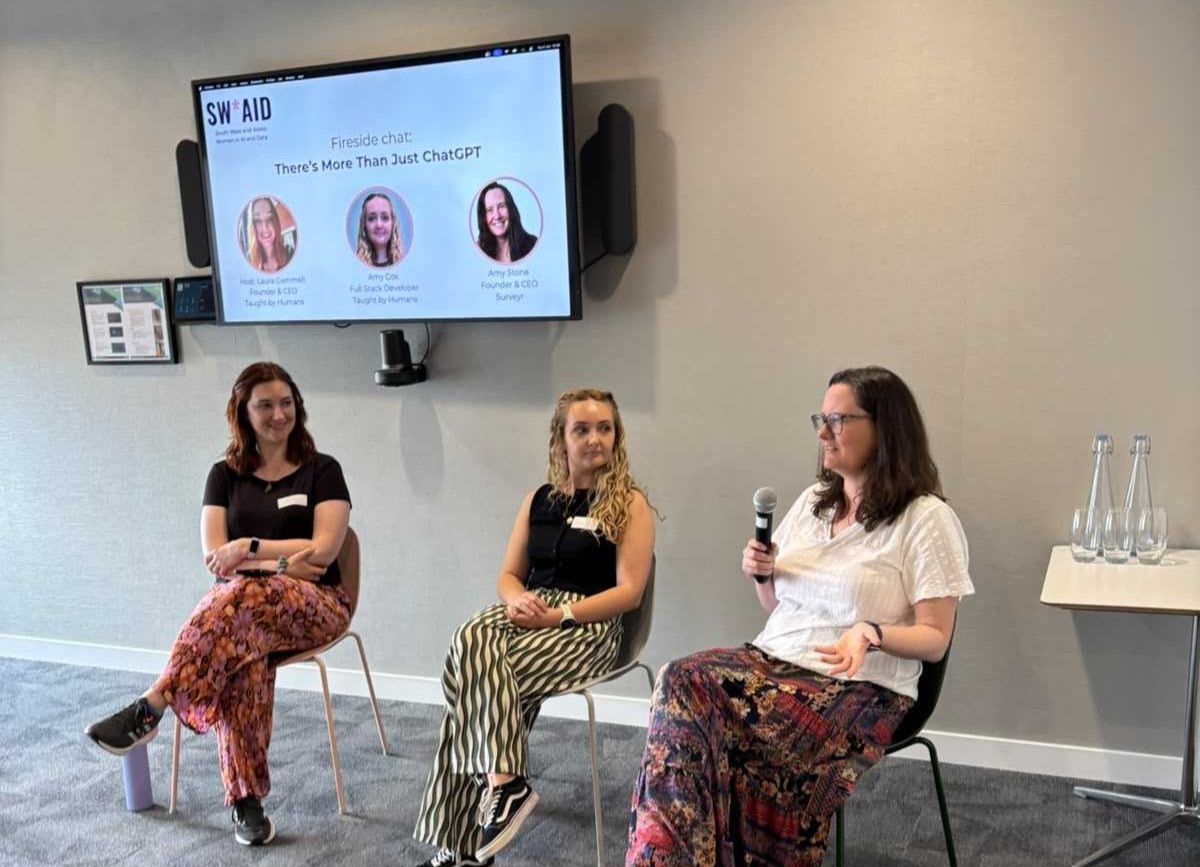
SW*AID AI fireside chat on the theme: There's more than ChatGPT. Hosted by Laura, featuring Amy Cox and Amy Stone
Our Favourite Generalist Chatbot: Claude
Here at Taught by Humans, we've put a fair few chatbots to the test. From pitches and admin work to coding, we've done the comparisons. Overall, Claude comes out on top.
Why?
Claude is much better at staying neutral.
ChatGPT can sometimes be a little too agreeable, which seems ideal if you're using it as a supportive friend. But when you mainly use AI tools for work, that agreeable nature can make you more dependent on them and less likely to trust your own judgement (read more about it here).
Claude is better at correcting its own mistakes.
Personally, I've found that once ChatGPT makes an error in a chat, it clings onto that wrong answer for dear life. Most of the time, I end up starting a new chat altogether because trying to correct it frustrates me.
Claude has great coding skills.
The code Claude produces tends to be cleaner, and it can handle debugging and harder coding tasks better than ChatGPT.
Claude Tips
If Claude starts forgetting things, start a new chat.
We've found that when a Claude chat gets too long, it can start compacting the conversation. When that happens, it sometimes drops information you still need.
The best thing to do is keep your chats shorter and more focused. But if you've spent too much time on one chat and can't bear to let it go, ask Claude to create a summary document that you can share with a new chat. That way, you can carry on chatting without having to constantly remind Claude what you're on about.
Sometimes, a notebook and pen can help you prompt better.
Claude has prompting limits, even on the paid tiers. And yes, it can be annoying when you're in a flow state. But strangely, we've found this can actually make us prompt better. It forces you to pause, take a screen break and have a proper think about what you need.
Before prompting, try taking out a notebook and pen and mapping out what you want to ask Claude. One clear, well-thought-out message is usually better than lots of tiny back-and-forth prompts. Not only does this save your usage credits, it also saves your time in the long run.
Building a Website or an App? Try Lovable
Lovable is a platform that lets you build apps, websites, and digital prototypes using prompts rather than traditional code.
This is often called vibe coding. Essentially, you describe what you want, and the tool helps build it for you. Bonus: you don't need to know how to code.
Before you underestimate it, we've seen Lovable do some amazing things. For example, Amy Stone, the CEO and founder of Surveyr, built a digital prototype to survey buildings using AI with Lovable.
Lovable Tips
Make your first prompt a big prompt.
Like most AI tools, Lovable runs on credits. The more prompts and changes you make, the more credits you eat up.
So, for example, if you're trying to build a website to sell baked goods, your first prompt probably shouldn't look like this:
Make me a website to sell baked goods.
It'll work, technically. But you'll probably end up spending loads of credits changing the design, layout, colours, features, and all the other bits you forgot to mention at the start.
Instead, get your classic paper and pen out and map out how you want the website to look. Then create the most descriptive and instructional prompt you can. Kind of like how you'd explain a task to someone who's sarcasm-blind.
A better prompt would look more like this (and honestly, the longer and clearer, the better):
I want to create a website to sell baked goods. I want the theme to be green and beige, with a more minimalistic design. I want a homepage where my treats of the week pop up, and tabs at the top so people can flick between the different products I'm selling.
Even if it's not the complete idea, this prompt will get you much closer to the final product and use fewer credits than the first one.
Turn on Chat Mode.
If you're stuck after your first prompt and have no idea what to do next, don't immediately run to ChatGPT for ideas. Turn on Chat Mode in Lovable and start brainstorming there instead.
When Chat Mode is on, Lovable isn't constantly altering your website and eating up too many credits while you're still thinking things through. Then, once you're done brainstorming, Lovable gives you the option to build what you've agreed on in the chat, without needing to write a whole new prompt from scratch
Lovable is brilliant, and there is so much you can do with it. So, if you've never tried it, I'd suggest giving it a go. And if you want to up your Lovable game, we have courses that cover both the basics and the more advanced skills, like connecting your site to a database and keeping it safe.
For Better Meeting Transcripts, Try Otter.ai
If you've ever found that AI note-takers and transcript summaries can be a bit rubbish when you don't sound American or quintessentially English, Otter.ai is worth a try. It handles my Northern twang and Laura's Irish accent surprisingly well. Anyone who has watched an AI transcript absolutely butcher a regional accent will know the pain.
Otter.ai Tips
Although this isn't technically an Otter.ai tip, it's worth noting that AI tools can work better as an assembly line. For us, that line looks like this: Otter.ai captures the transcript, Claude turns it into a document, and Notion gives it a home.
Trust an Expert, Not AI
As useful as these AI tools are, they are here to support you, not replace experienced judgement. So, if you're a web designer and Lovable is telling you that a colour combination works, but your design instinct disagrees, trust your judgement. If you're using AI to code, don't just copy, paste, and hope for the best. Read it. Test it. And if you're not that experienced, get a developer friend to help out. Because at the end of the day, AI still makes mistakes. You're better off trusting the human with years of experience.