
My Python journey kicked off two years ago at university. It wasn't until I started tackling more ambitious projects (like building a zombie apocalypse simulation) that I turned to AI tools. Since then, ChatGPT and Claude have been my go-to contenders for coding help. Now that part of my job involves creating Python learning content, I took this opportunity to put these two chatbots to the test.
I wanted to test how well each chatbot supports a beginner (specifically if they are good enough to be used as a main learning resource). To do this, I designed three tasks that reflect key stages of a typical Python learning journey:
- Creating a learning plan
- Teaching basic Python concepts
- Guiding a hands-on implementation exercise
Task 1: Creating a learning plan
I started with assessing how the two compared when it came to creating a learning plan. The prompt I used for this is:
N: I am new to coding and I want to learn python. Where should I start?
The first thing I noticed was that ChatGPT structured the learning journey a lot better.
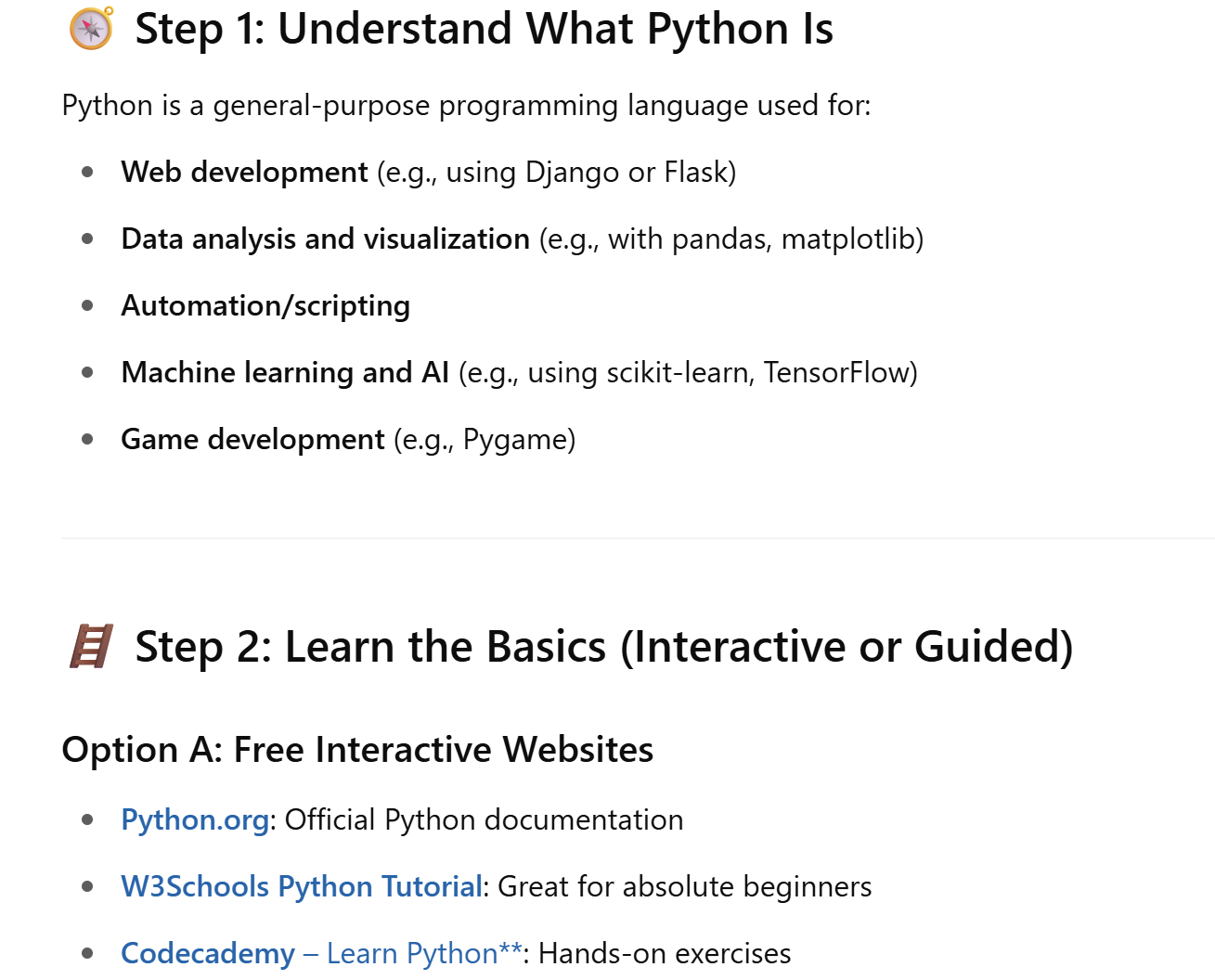
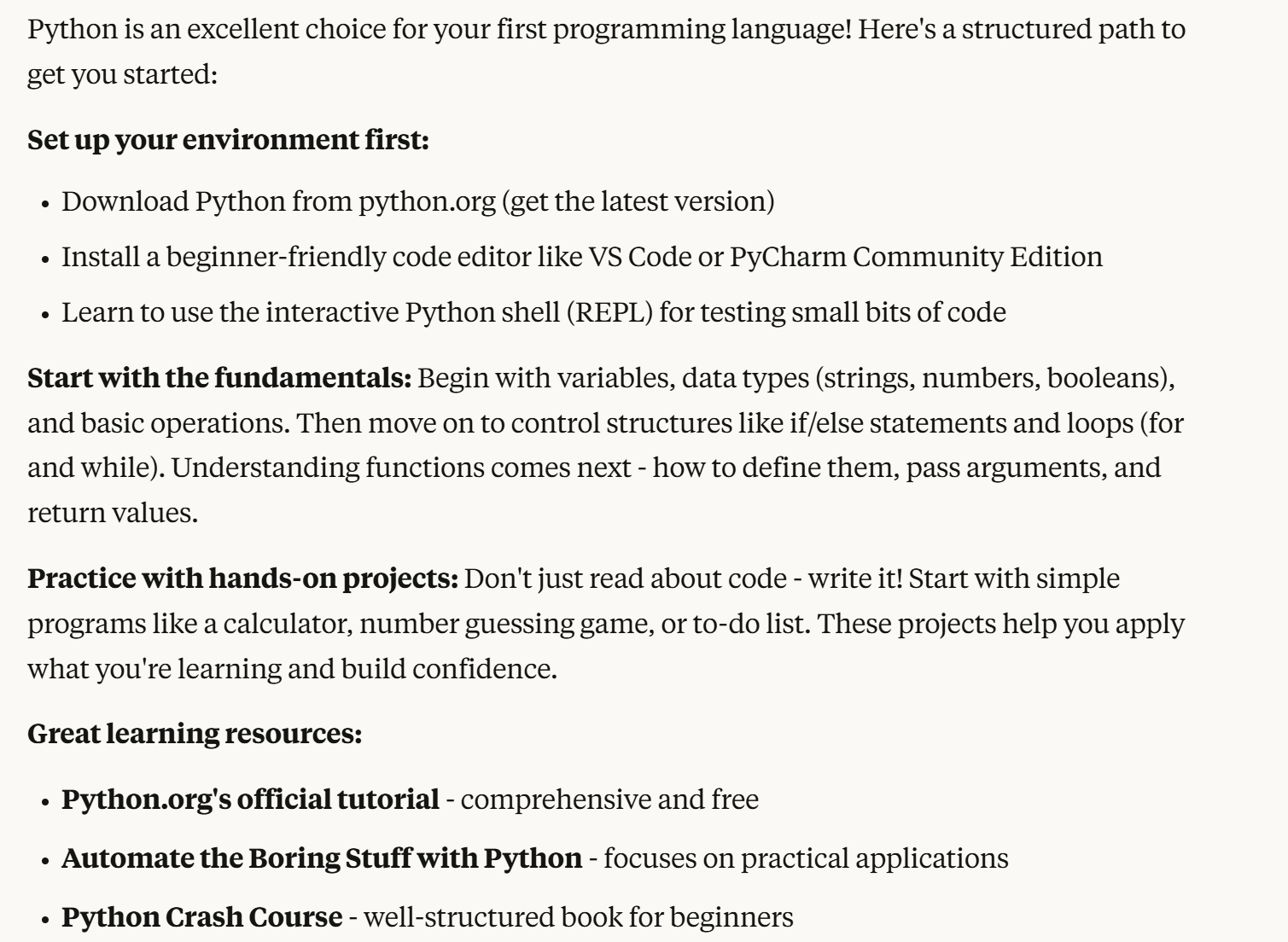
Screenshots of ChatGPT and Claude output showing the difference in the layout of the learning journey plans. ChatGPT (left) shows chronological steps (like step 1, step 2) and includes links that you can click on. Claude shows steps to take but no chronological label and does not include links you can click on.
The steps were clearly broken down and the content was presented in a much more readable format. I especially liked that ChatGPT linked a variety of external learning resources (like videos and courses) as it gives learners more flexibility to explore their preferences.
On the other hand, I found Claude's learning plan a bit underwhelming. It gave a brief overview of the steps to take and only suggested a handful of resources (without providing any actual links). That said, I did appreciate the bonus bit of advice it offered at the end:
Claude: Code every day, even if just for 15-30 minutes. When you get stuck (and you will!), learn to read error messages carefully - they're often more helpful than they first appear. Don't worry about memorising syntax; focus on concepts and logic.
Task 2: Teaching Basic Python Concepts
Both Claude and ChatGPT provided useful links to external Python resources, but I wanted to test how good the chatbots were at teaching it.
I decided to go with the topic: basic operators. This is the prompt I used:
N: Could you teach me about basic operators in python?
What are basic operators?
In Python, operators are symbols that instruct the computer on what to do with values or variables (think about the symbols on a calculator). There are a few different types of basic operators you'll come across on your Python journey:
- Arithmetic operators: they are used to carry out mathematical operations
Example: +, - (these are just used for addition and subtraction). - Comparison operators: they are used to compare different values
Example: == (this operator means equals to). - Logical operators: they are used to combine conditions or reverse them
Example: and (this is used to combine conditions). - Assignment operators: they are used to store or update values in variables
Example: = (this is used to assign a variable to another).
Both Claude and ChatGPT delivered the same content - pretty clear cut explanations of basic operators and a lot of examples to follow.
As with task 1, I thought the formatting of ChatGPT was better. It included a table of each operator (which was easy to understand) and included examples of how they work. On top of that, it showed how to use them in actual Python code which is helpful for learners. Whereas Claude had the explanations in a list with the Python code embedded (which only someone who knows Python code would understand, not a beginner).
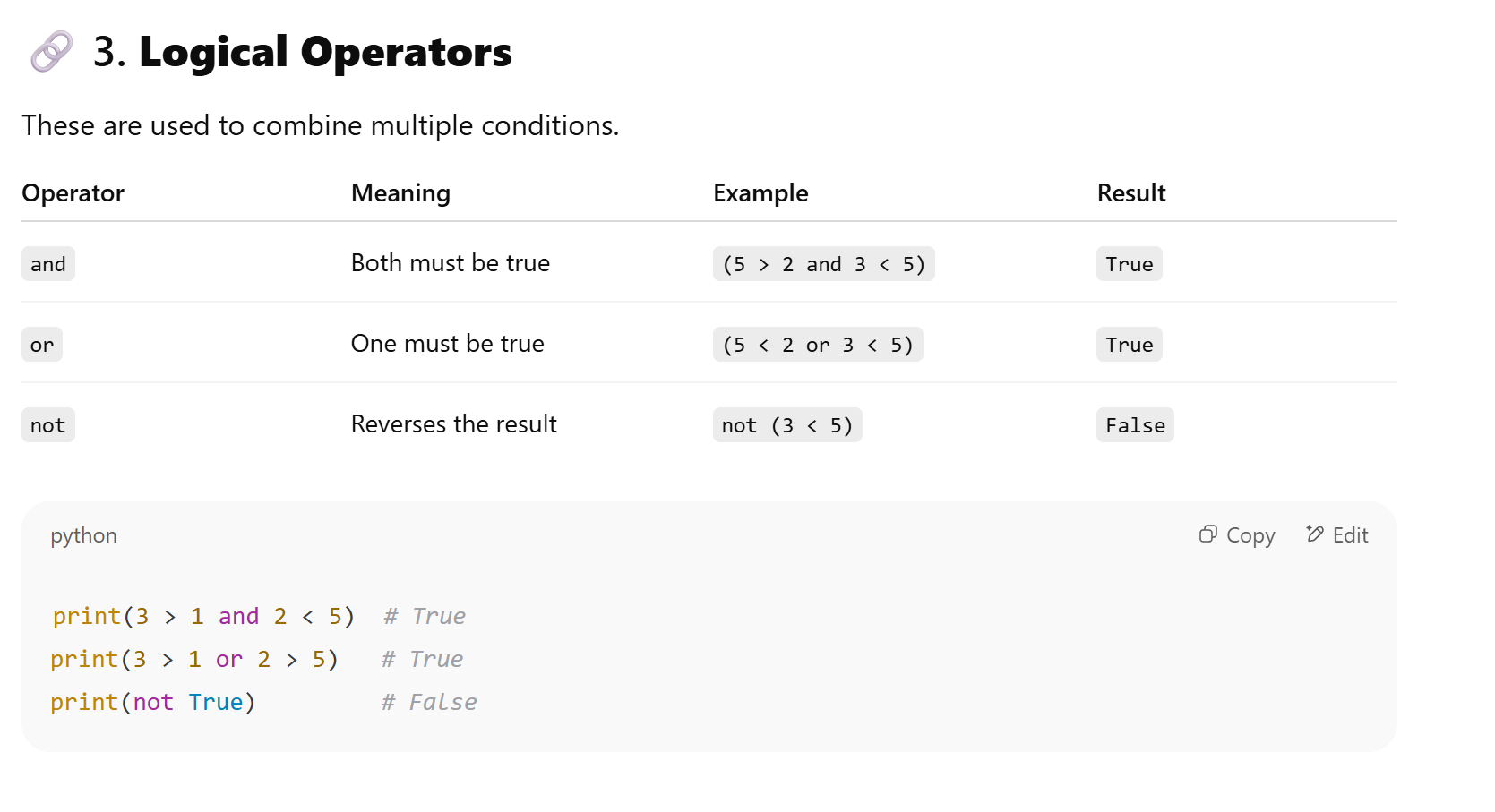
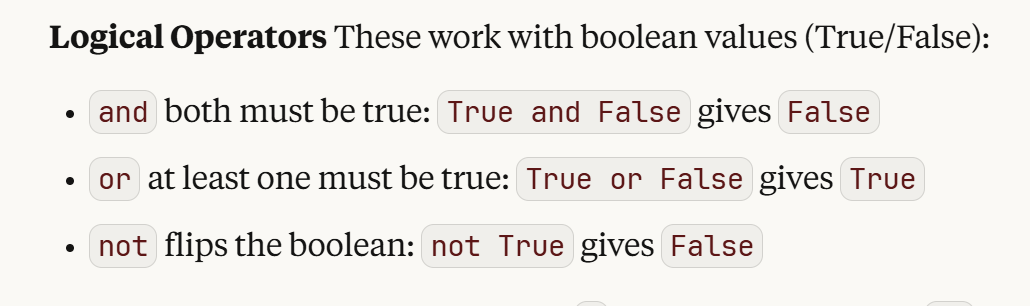
Screenshots of ChatGPT and Claude's output on basic operators. ChatGPT (left) shows a table explaining 3 logical operators (and, or, not) and a separate snippet of their code implementation. Claude shows the same 3 logical operators but in a list with the code embedded in the sentences.
Task 3: Guiding a Hands-on Implementation Exercise
For this task, I decided to use the bubble sort question to assess how ChatGPT and Claude performed in terms of writing and explaining a coding task.
What is Bubble Sort?
If you've ever done an introductory Python course, you may recognise the bubble sort question. It's a sorting algorithm (like a set of instructions) commonly used to learn core concepts like loops and conditional statements.
How Does it Work?
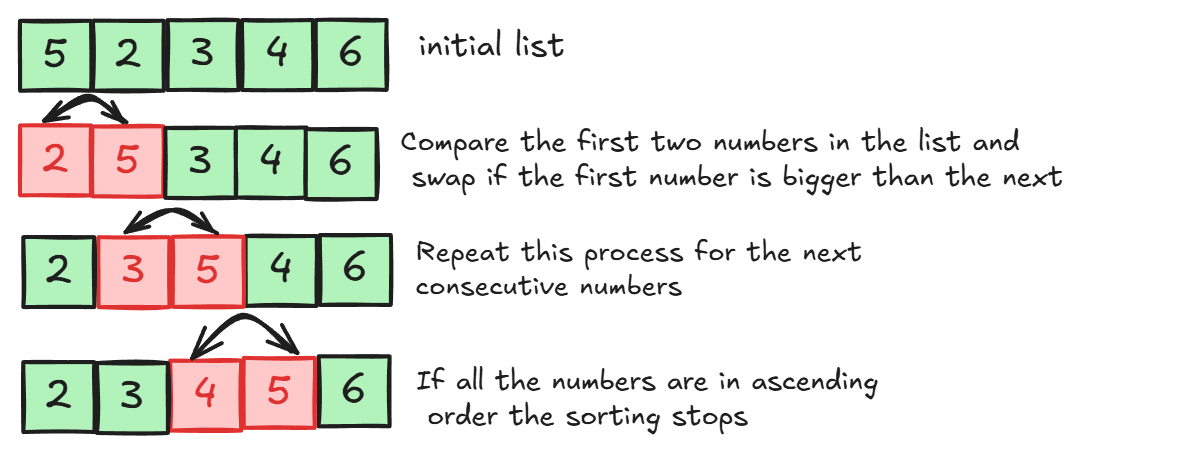
Let's say I have a list of five numbers (not arranged in order). The algorithm starts by looking at the first and the second numbers, to check if they are in the right order. If they are not, they get swapped around. It then repeats the process for the second and the third numbers (and then every consecutive number after). This goes on till the list of numbers is arranged in ascending order.
Bubble sort example:
I used the following prompt to ask the chatbots to explain bubble sort and implement it on code:
N: I've been tasked to implement bubblesort in Python. What is it and how do I go about doing this?
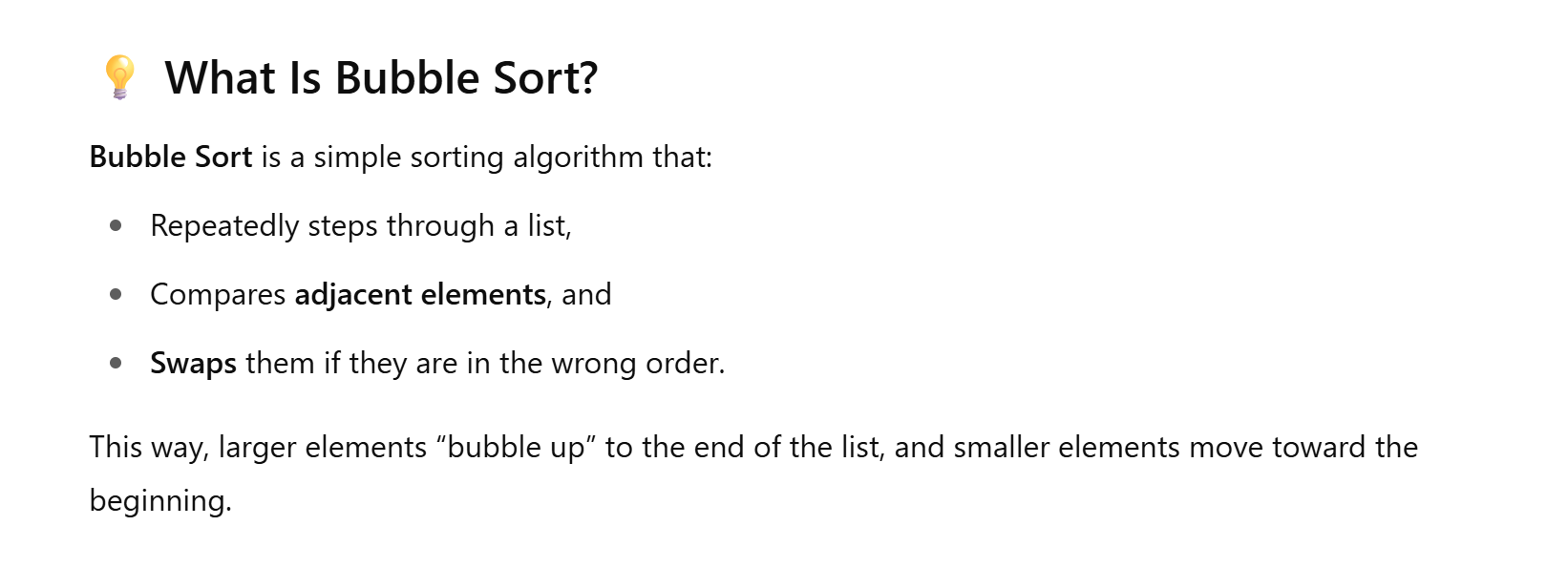
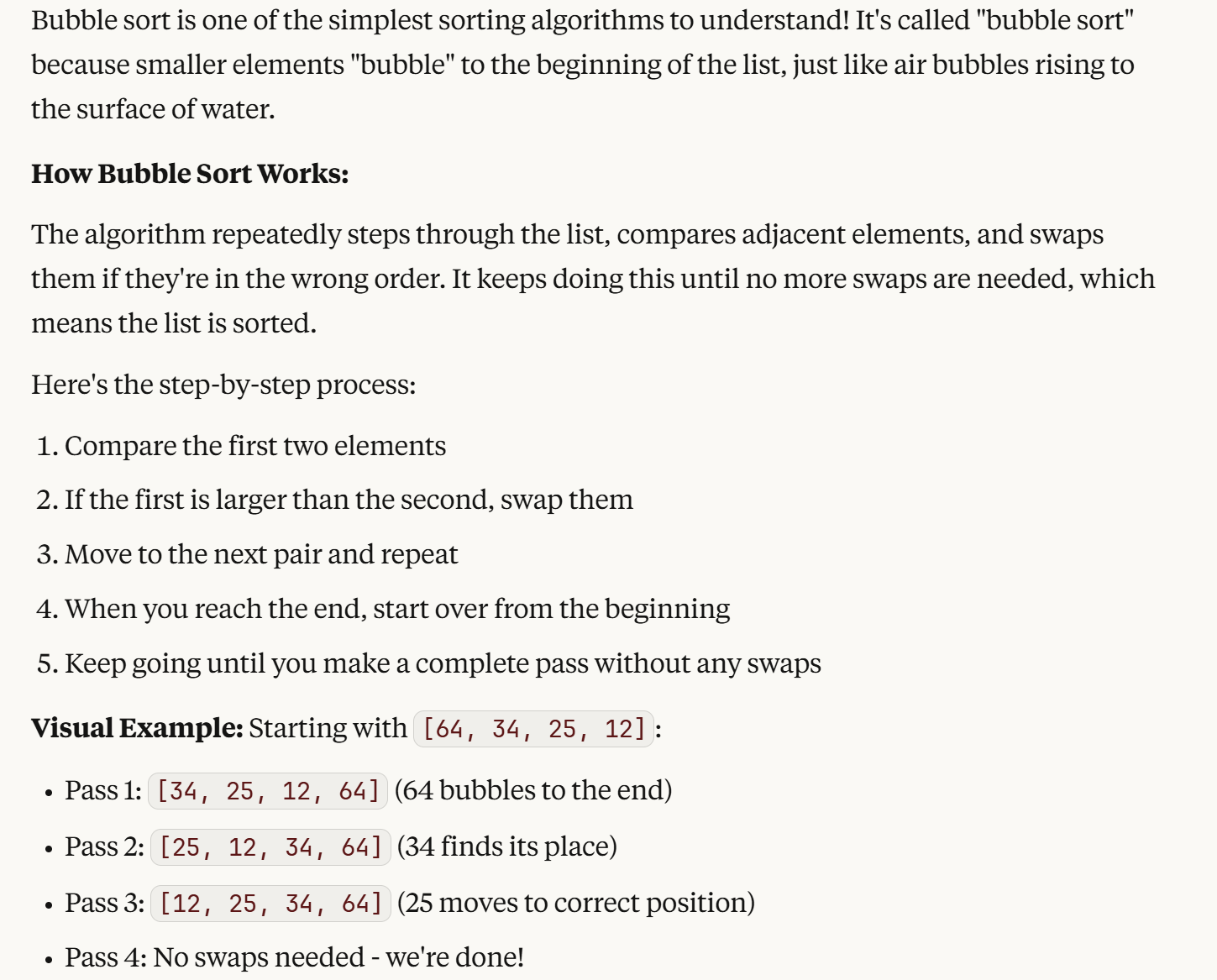
Screenshots of ChatGPT and Claude's outputs showing the differences in explaining bubble sort. Claude (right) shows a general overview and explains the process step by step. ChatGPT shows a general overview.
I was really impressed by the amount of detail included for the bubble sort explanation by Claude. It goes into greater depth in explaining how the algorithm, and the written code work. I found that the implementation of bubble sort (by Claude) was neatly structured - it had the function description and relevant comments at good positions.
However, I felt that the code was a bit long-winded, making it harder to follow. Also, Claude's explanation on the implementation was a bit too advanced and required more background knowledge (it talks about concepts like space and time complexity, which could easily overwhelm someone new to Python).
On the other hand, I felt that ChatGPT gave a fairly lackluster explanation on bubble sort as an algorithm. What I did like about ChatGPT was that it kept the initial point in mind (I am a beginner trying to learn Python) throughout the explanations and the bubble sort implementation was simpler.
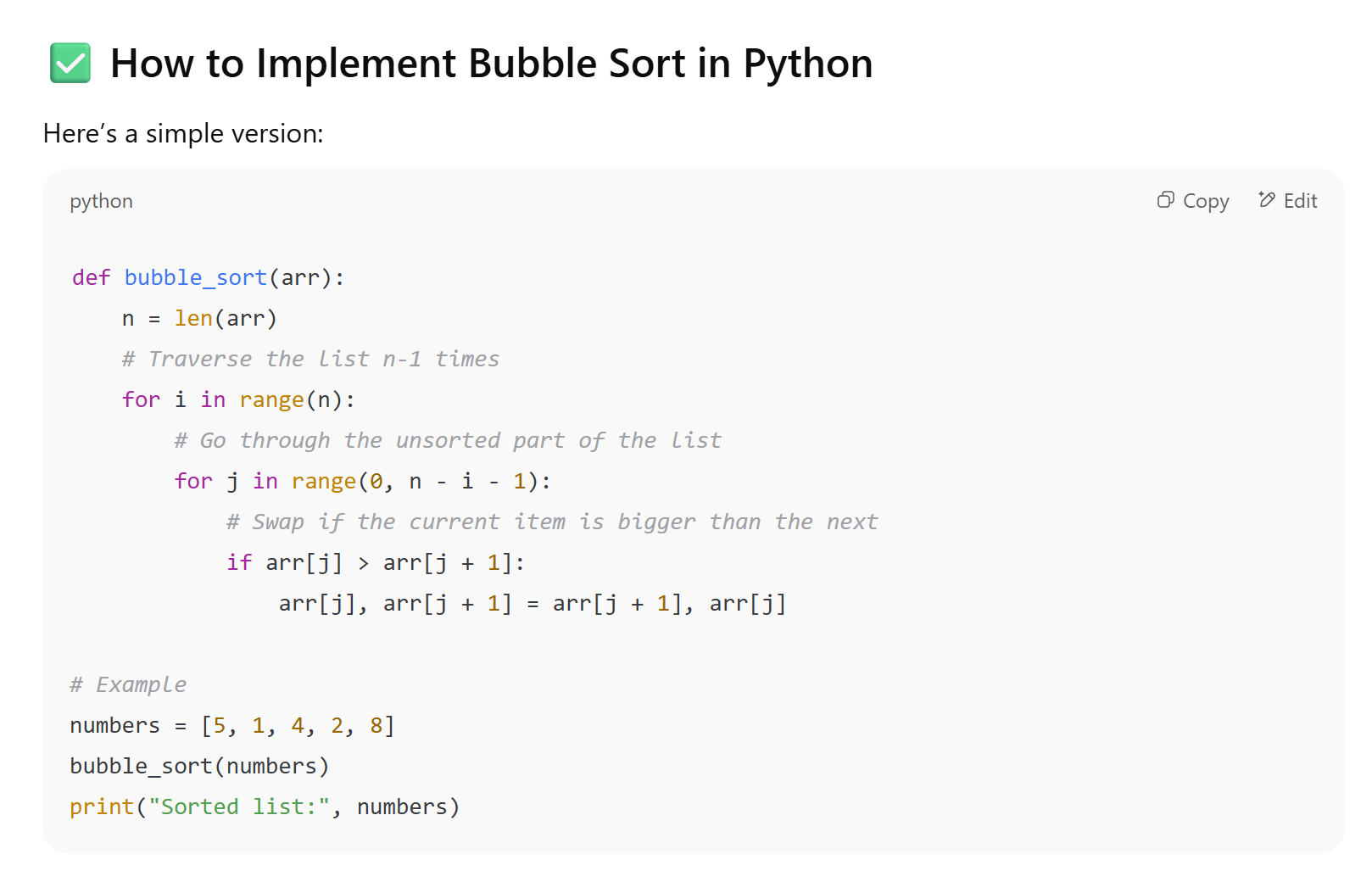
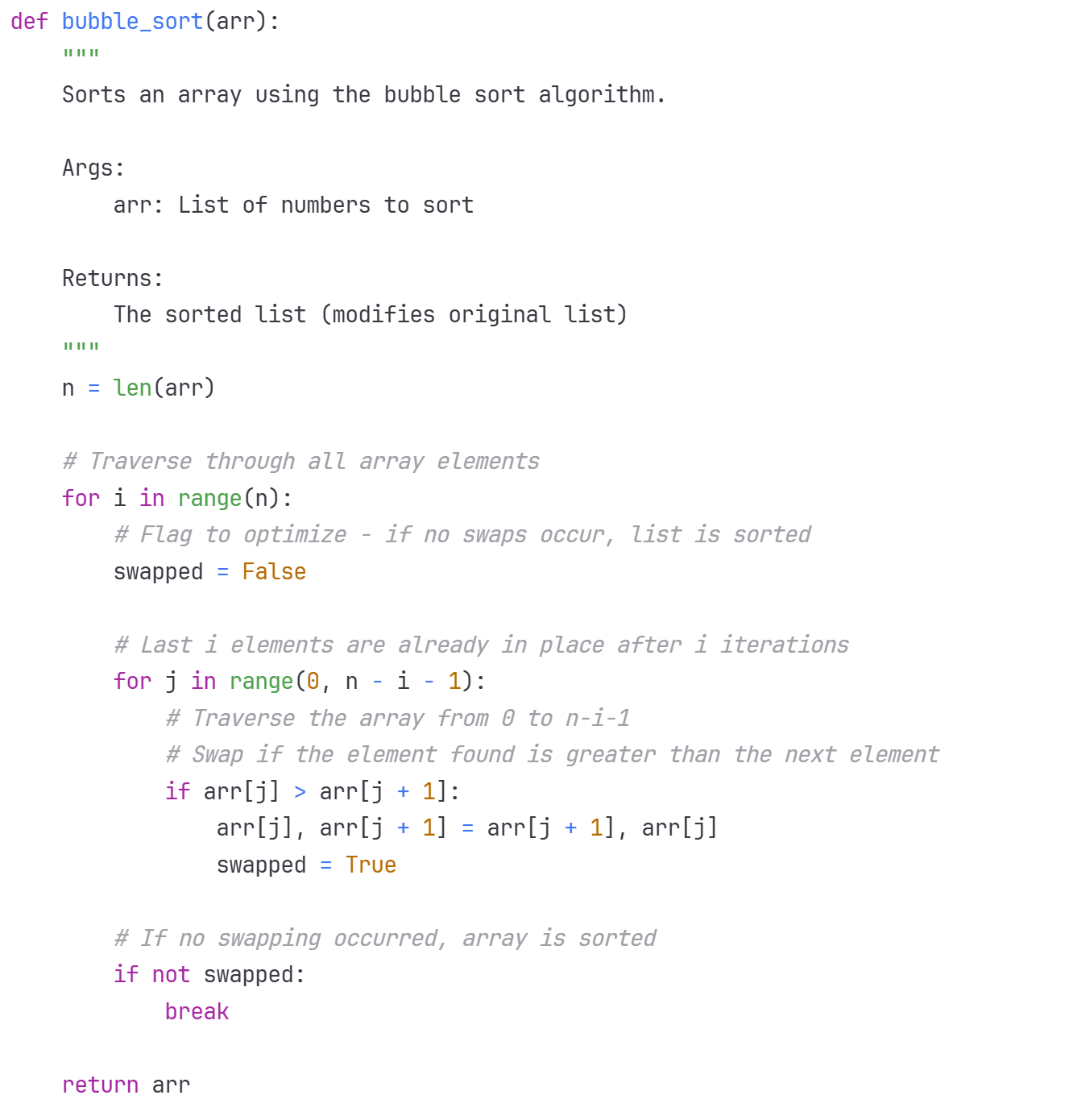
Screenshots showing the difference between the bubble sort code implemented by ChatGPT and Claude. The code written by ChatGPT (left) is shorter. The code written by Claude included more comments and had the addition of these lines: 'swapped = False', 'swapped = True' and 'if not swapped: break'.
To Wrap it Up
There are two things worth mentioning before I draw a conclusion:
- I am using the free version of both ChatGPT and Claude - the paid versions could give better responses.
- I only used one prompt for each task for simplicity - using more prompts might improve the responses for Claude in terms of tailoring it to beginners.
It really depends on your definition of beginner and what you are learning Python for. Overall, I would say ChatGPT is a better teacher, but Claude is a better programmer. If you have never seen a line of code before - use ChatGPT. It breaks down concepts a lot better and writes code that is more direct.
However, if you have a techy background - use Claude. I felt that the way Claude structures code (with a function introduction and detailed comments) sets up better coding practices - especially if you are looking to progress to more technical projects like building a recommendation system.
Chatbots for Python: Main Resource or Just a Helper?
Personally, I don't think chatbots are good enough as a main learning resource. While both chatbots provided helpful content, learning Python requires more than just reading - it's a skill best picked up through structured, hands-on practice. Chatbots can definitely help the learning process, but pairing them with something more interactive, like a course or guided project, makes a big difference. (And if you're looking for one, we do offer a Python course designed with beginners in mind!)