
I can use Google sheets just fine: monthly budgeting, organisation of resources and (my favourite) colour-themed conditional formatting. But last week, I found myself in slightly deeper water. I was in the middle of market research, trying to make sense of what our competitors offer, which features might be a good fit for us, and how to prioritise them against a fair system, not just my gut instinct. I needed something specific, but I didn’t actually know what it was. That’s when I turned to ChatGPT for some learning at the point of pain.
Part 1: False Start
I started, naturally, with VLOOKUP. This will be familiar to many readers (like me) as the point that they stopped paying attention in ICT lessons. It seemed like the right choice: I wanted to pull all the features marked “Yes” (meaning, yes, add this feature to our platform development list) from five different sheets into a master list.
C: I need help writing a G-Sheets VLOOKUP. I want it to search on another sheet for any values in column E that read Yes. If it reads yes, then the information from the same sheet in column A should be copied across.
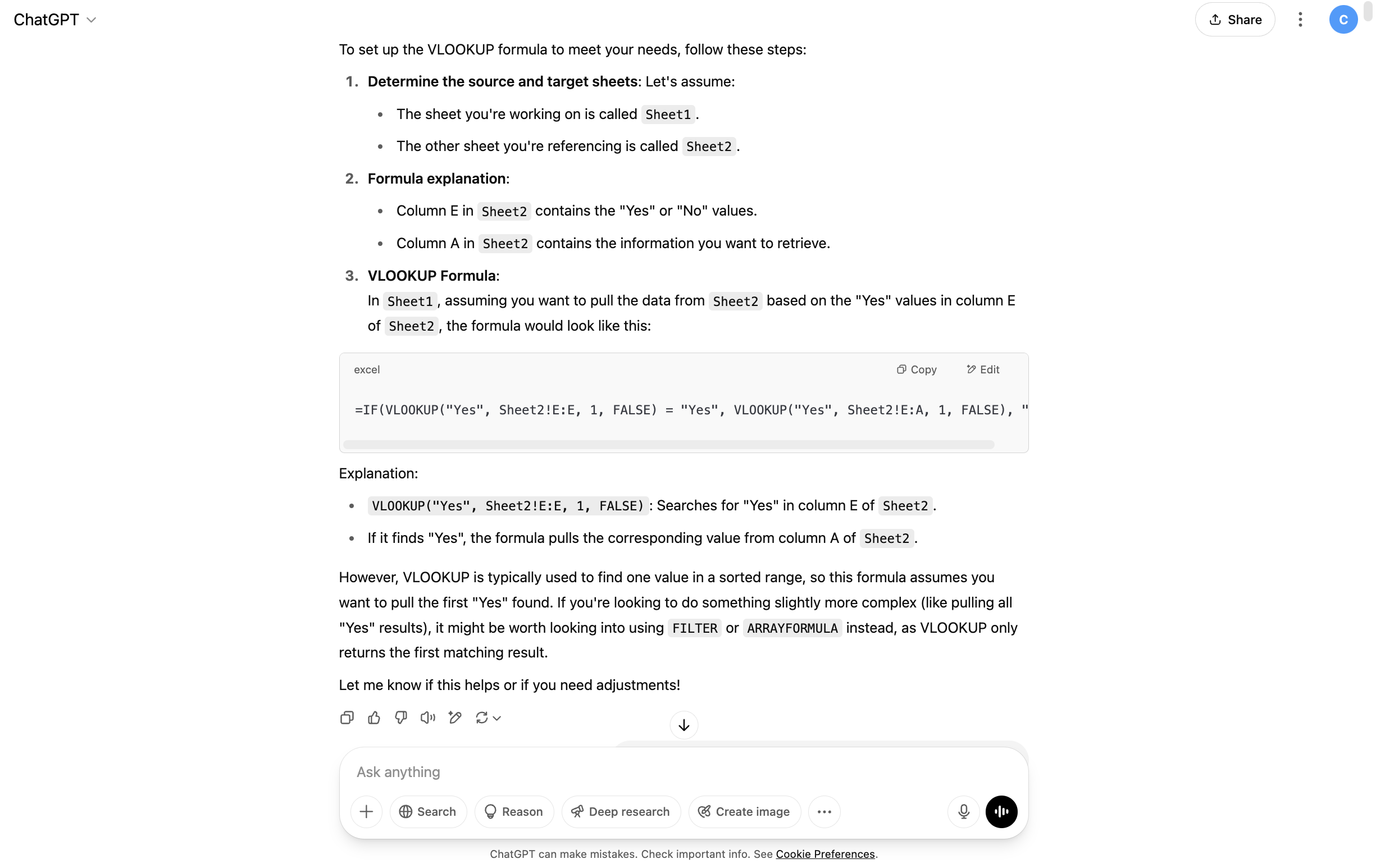
ChatGPT gave me a formula and an explanation
Apparently, VLOOKUP is only useful when I want to find a single value. What I needed was more like a sieve: something that could filter out all the “No” rows and bring the “Yes” ones across. ChatGPT kindly pointed me towards a FILTER formula instead, neatly wrapped inside a QUERY:
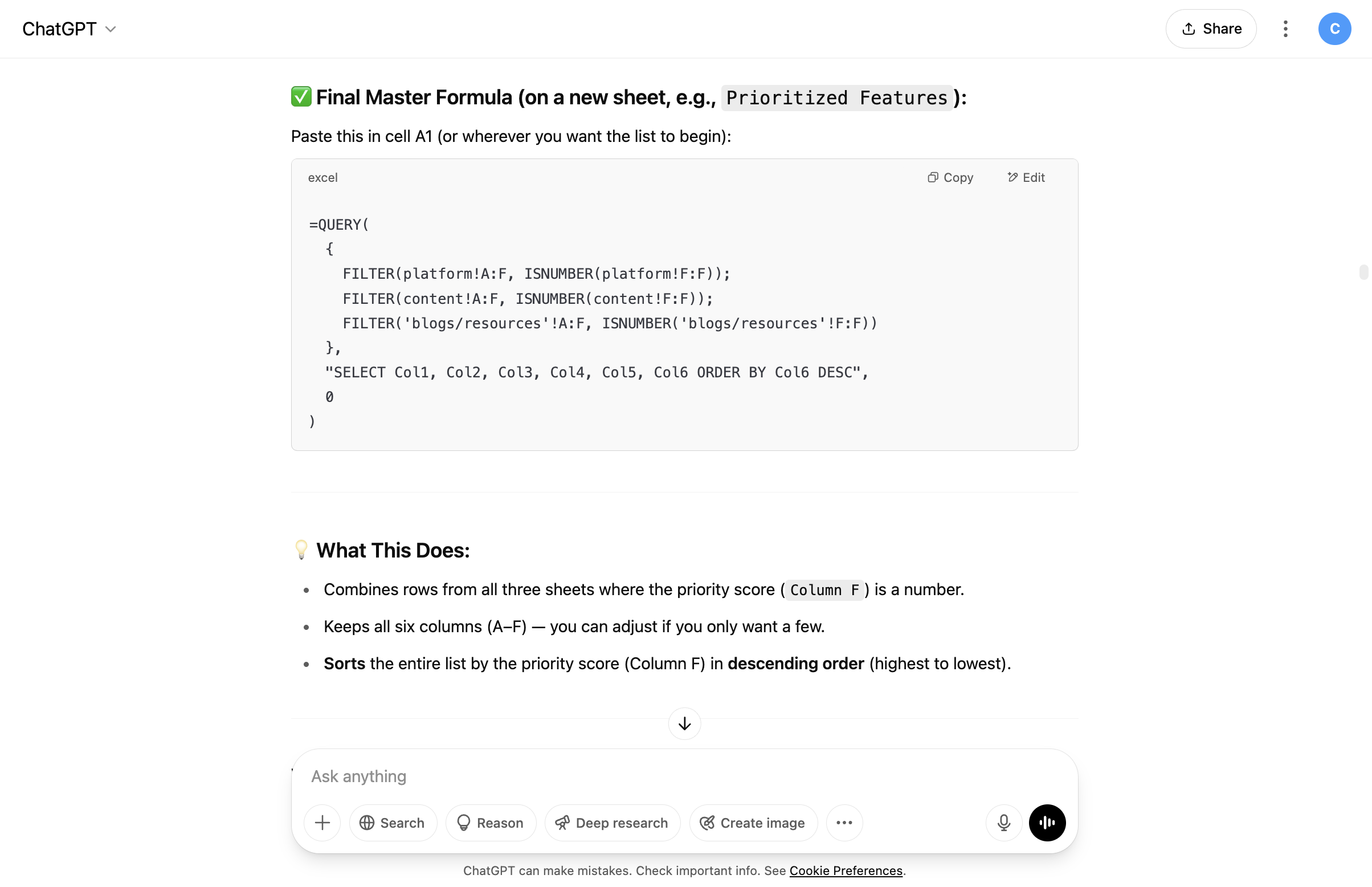
ChatGPT pointed me in the right direction
We were now well beyond the realms of what I was capable of doing by myself, but it worked. And, what’s more, ChatGPT kindly explained what each component was doing so that I’ll (hopefully) be able to try it by myself next time.
Part 2: Human Error
ChatGPT should probably be recognised for its patience at this point. When I’d initially asked it for a hand, I didn’t realise quite how useful it would be. I’d asked a theoretical question, but it handed back a precise formula with the info I’d given it.
However, my sheets weren’t called “Sheet 1” etc. They had real names that I needed to insert into the formula, but that just kept returning error messages when I tried to do it by myself. I asked ChatGPT for help pulling data from “Learning journeys”, only to realise my actual sheet was called “LEARNING JOURNEY CONTENT” (apparently, it had been an all-caps kind of day). ChatGPT gently reminded me: spelling and casing matter. Once I corrected that, everything snapped into place.
If you’re looking for a solution (rather than a lesson) from ChatGPT, you can connect it up with Google Sheets and let it do the hard work for you. For me, it worked well to talk it through with ChatGPT and copy it across, but it definitely wasn’t the most time-efficient way.
Part 3: Getting My Priorities Right
Once I’d pulled all of the ‘Yes’ ideas onto one sheet, I still had a question: which ones should be done first? It was obvious that low effort/ high impact tasks were important, but should we prioritise quick wins over long term pay-offs? I asked ChatGPT for more than a formula here, I asked for an opinion:
C: Now I have three columns for each of our product ideas (time frame, effort, impact) Time frame is a drop down with short, medium and long term options, impact and effort are both rated 1-5. I want a formula that could help us work out what should be prioritised first. Should it be those with the most impact and least effort, or those with the shortest time frame etc? What do you think?
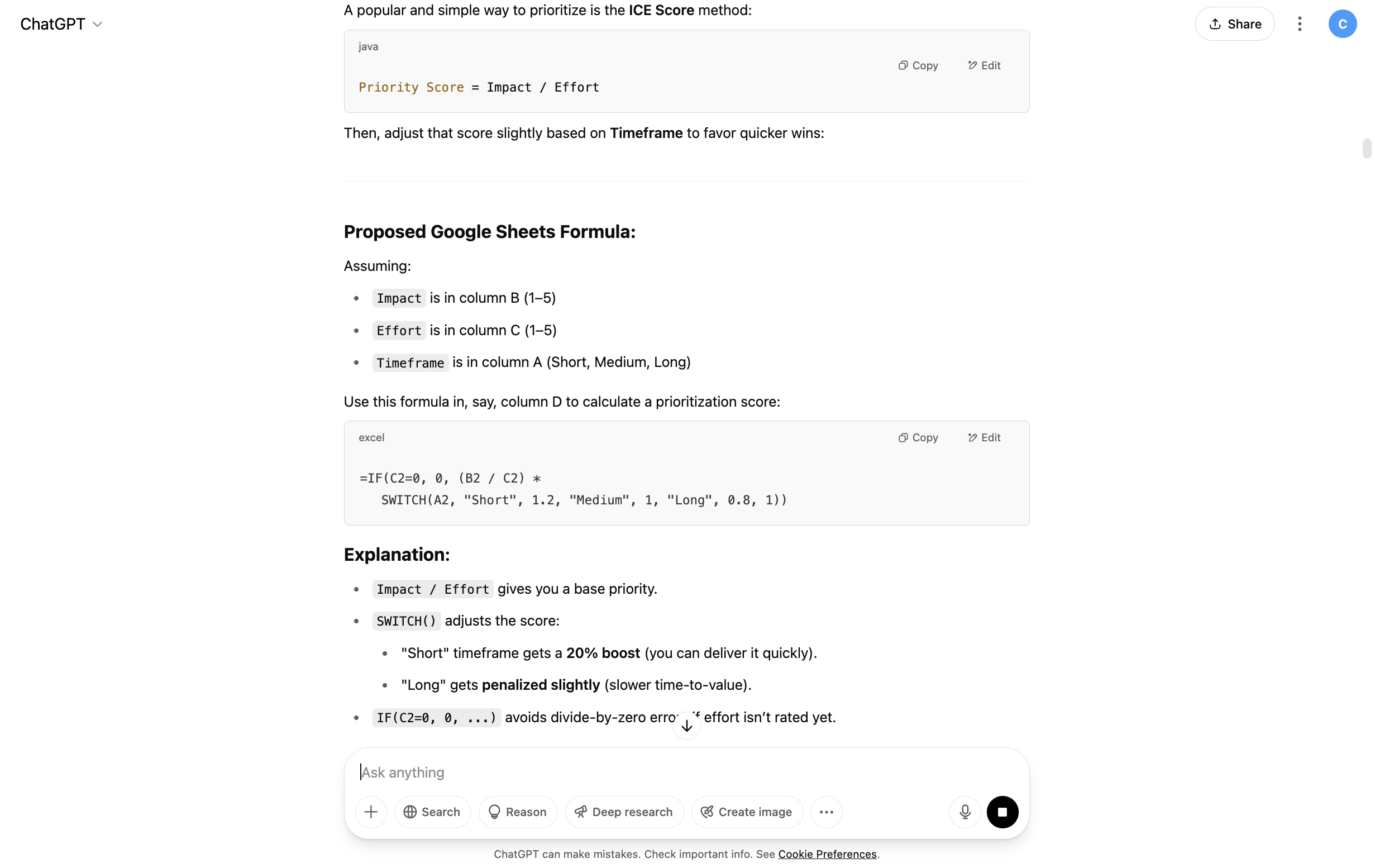
ChatGPT explains the reasoning behind its prioritisation
ChatGPT came back with a formula that gave me a base priority (Impact/ Effort) with a handy SWITCH function to factor in the time frame of each individual action. Short term actions were given a 20% boost (*1.2) and longer term suggestions were penalised slightly (*0.8).
It’s not a flawless system, but it is a fair and reasoned one. It’s a starting point for human conversation (“do we agree with the priorities?”) not a development plan set in stone.
Part 4: Pulling It All Together
It’s possible I was getting a bit too big for my boots at this point, but I had one final idea. Now that I had prioritised each individual sheet based on impact, effort and time frame, I wanted one master sheet that pulled together assessment features, learning journey content, resource ideas and learning styles, ranked in priority order.
C: Now that I have a priority score for each potential new feature across three sheets (platform, content and blogs), I want a final sheet where all of these rankings are compiled in a list from highest to lowest priority. Can you do this with a formula?
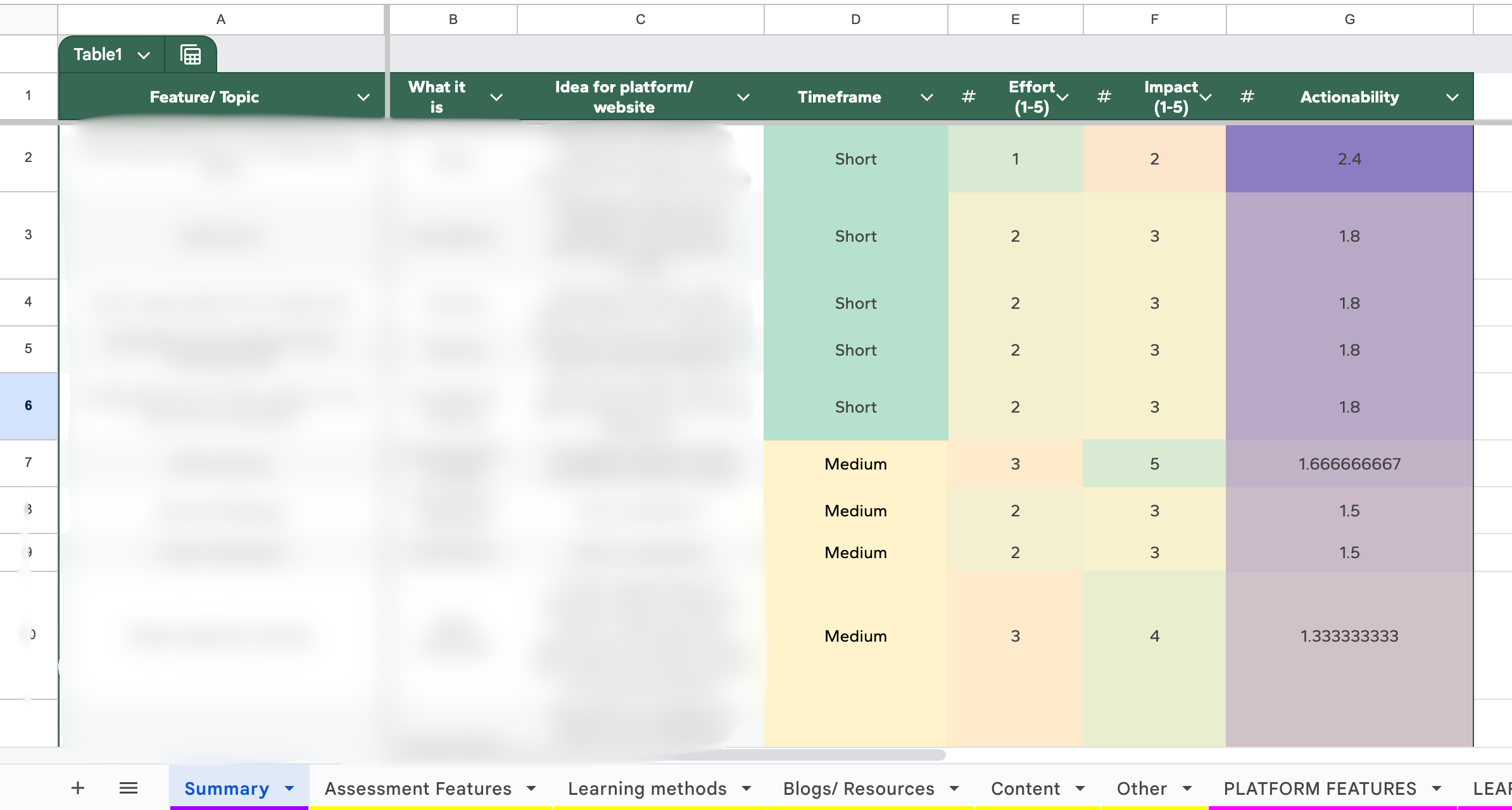
Google Sheet Sorted
I was very happy with the final summary and, after a quick scroll down, I agreed with most of the priority rankings that the formulas produced. It was now time for ChatGPT to take a back seat as I made sure that the pastel-coloured conditional formatting was looking its best.
Did ChatGPT Help Ease the Pain?
What began as a series of chaotic ideas in my head, is now an organised and prioritised spreadsheet. It wasn’t a flawless ride (a fair few error messages as a result of a fair few more typos), but I liked the ability to troubleshoot with ChatGPT. I could explain exactly what was going wrong and it offered me solutions to try. The explanations that it provided were also handy and I was (with a bit of trial and error) able to modify the formulas it had given me by myself (very satisfying!). I didn’t need to know the name of the formula that I needed, or exactly how I wanted data to be sorted; I had an endpoint in mind and ChatGPT helped me connect the dots. I’m not yet a spreadsheet wizard, but I am one step closer.